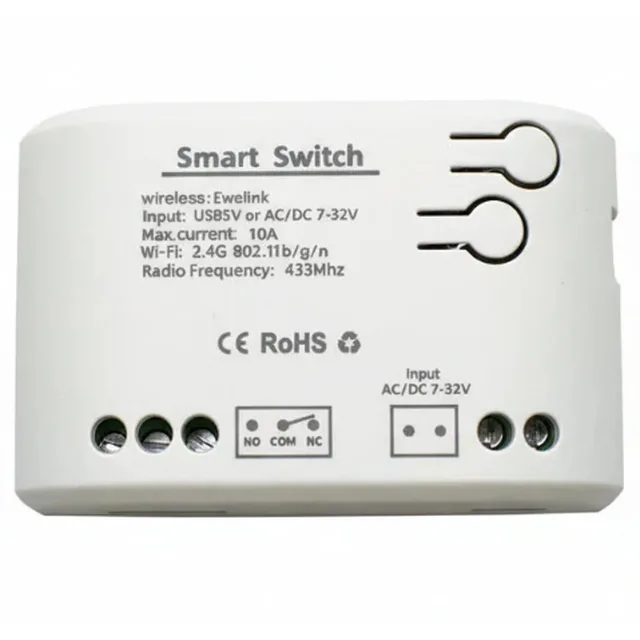
eWeLink SV inching switch (DC 5–24V)
Connects to your existing gate or garage door motor so you can open it from your phone.
Gate & garage control · Pretoria
We connect a small WiFi switch to your existing gate or garage door motor. Open it from the app when you're on your way home, when a remote goes missing, or to let someone in while you're out.
Why it's worth it
The eWeLink SV inching switch connects to your motor's trigger input. When you tap the app it gives a short pulse — the same as pressing a remote button.
Your remotes keep working exactly as before. You simply add your phone, and anyone else in the house you share the device with.
Open the gate from the app, at home or away.
Works on gate motors and garage door motors with a trigger input.
Nothing is taken away; your phone is added as another remote.
On the day
What we use
One small switch per motor. Supplied and installed, or supplied only.
Connects to your existing gate or garage door motor so you can open it from your phone.
FAQ
Most gate and garage motors have a trigger input and low-voltage power the switch can use. Send a photo of the motor's control board on WhatsApp and we'll confirm before quoting.
Yes. The switch is added alongside your remotes; nothing about them changes.
We check the signal at the gate before quoting. If it's weak we'll tell you what's needed to reach it.
If the motor runs on its battery and your router has backup power, phone control keeps working. Otherwise the switch reconnects by itself when power returns.
More from SwitchWise
Tell us what you want to automate. We'll tell you what it takes and send a quote.
066 3583 999 · mail@switchwise.co.za · Pretoria and surrounds